
DoDo_home's post
1 / 6
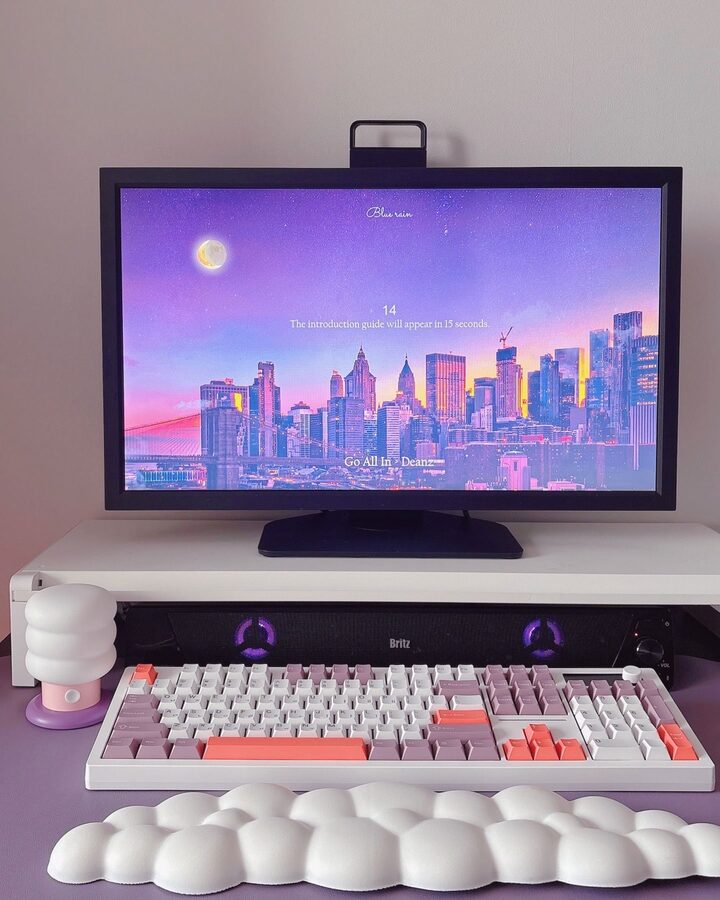
The ACH105 keyboard, recently released by Apco 💜 The LCD display is located on the top right of the keyboard, so you can immediately check the connection status and settings, and the knob makes adjusting the volume and changing settings super convenient! And one thing that makes me secretly happy about using this keyboard... Every time I type, a cat appears on the LCD🐱🤎 It's a GIF that reacts to my typing speed, so the animation speeds up and slows down accordingly. It's so fun that it makes me want to type even more👍🏻 I thought all low-noise switches were the same, but I love the soft, squeaky feel of the keystrokes.💕 It's comfortable to use in the office or cafe, and my hands don't feel tired even after long typing sessions! (It's even better now that my husband's gaming noises are quieter😄) It's amazing that I can configure key mapping, macros, and even LED settings online without installing any additional software. (This is a bit annoying, but it's so convenient...) And best of all, it supports wired, 2.4G wireless, and Bluetooth. And the receiver is stored inside the keyboard, so I don't have to worry about losing it! The lavender color really brightens up my desk, and it completely changes the mood ☁️💜 #DeskTerrain #앱코키보드 #앱코 #키보드 #KeyboardRecommendation #책상꾸미기 #데스크꾸미기 #콘수프기록 #MonitorStand #키보드손목받침대 #무드등
- 01.23
- Likes
- 18
- Saved
- 16
- Views
- 134
Comments0
