
creator.mina's post
1 / 5
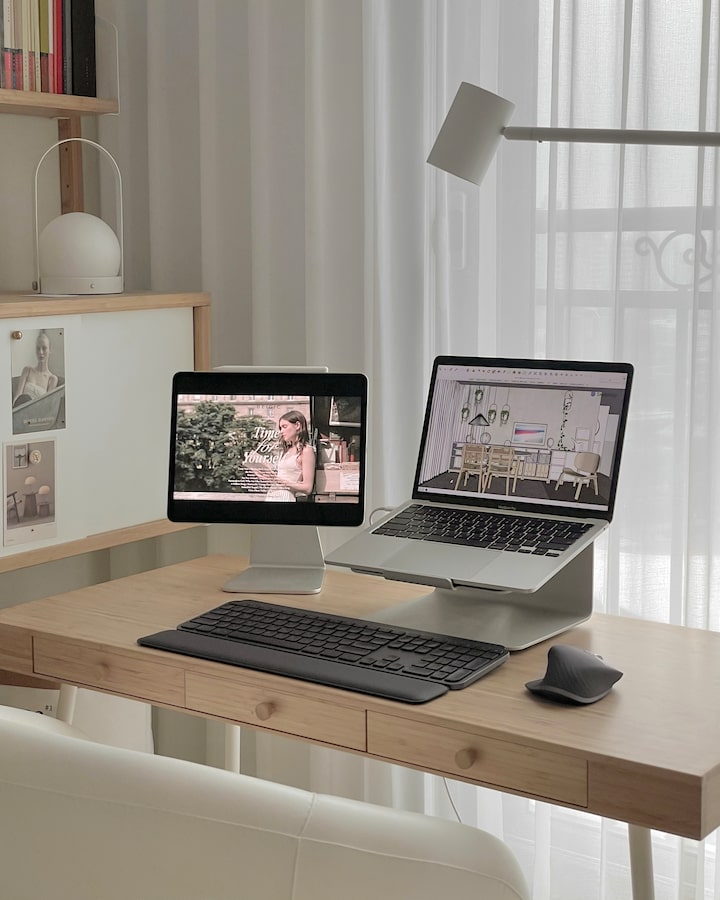
I was looking at Logitech products as a keyboard and mouse for comfortable graphic work! I got a chance to use Logitech products as an Ohaus reviewer. Luxurious MX Keys S Combo keyboard mouse combo I was worried that the graphite color would make my desk look too dull, but the dark keyboard and mouse somehow have a pretty professional feel. In addition, you can set the backlight to come on even if the lighting in the space is dim, so it's convenient. Above all, the backlight turns on brightly and the sparkling light is pretty✨ The keyboard keys are firm and don't require much force, which is nice, and the palm rest is the same height as the keyboard, so your wrists are comfortable. The mouse scrolls left and right, so it's really efficient when working on graphic work! The clicking sound isn't loud, so it feels good to work thanks to the sound ㅎㅎ With the Easy Switch, you can easily select an iPad or laptop and operate the keyboard and mouse. There's no hassle of disconnecting the Bluetooth of the device you're using and connecting it to another Bluetooth device. If you just register the device on Easy Switch 1, 2, and 3, you can conveniently switch devices by pressing it like a phone shortcut key. The mouse feels a little big in one hand, but don't try to hold it tightly, and just lightly place your hand on it and use it. It's more comfortable because you can use it without much strength 😁 #ProductSponsorship #스페셜오리뷰어 #오리뷰어 #오하우스 #오늘의집 #로지텍 #로지텍MX #스마트액션챌린지 #마우스 #키보드 #데스크테리어
- 2023.06.21
- Likes
- 0
- Saved
- 0
- Views
- 139
Comments0
